If you are shopping for parental control software, you have probably seen Aura recommended alongside names like Bark, Qustodio, and Norton Family. But Aura is different from a typical “spy on your kid’s phone” app. It is primarily a family digital security suite that also includes parental controls.
In this Aura parental controls review, we will break down how Aura’s family features work, how strong its parental controls really are, what it does better (and worse) than competitors, and which families are most likely to benefit in 2026.
What Is Aura, and How Do Its Parental Controls Fit In?
Aura started out as an identity theft and digital security service — think credit monitoring, dark web alerts, and device protection — and then expanded to offer parental controls as part of its family plans.
So instead of only managing your child’s screen time, Aura aims to protect the entire household from:
- Identity theft and financial fraud
- Data breaches and dark web leaks
- Malware and unsafe Wi‑Fi
- Inappropriate websites and unsafe apps for kids
The parental controls are one part of that bigger bundle. This is important: if all you want is deep monitoring of texts and social media, Aura may not be your best option. But if you want a single subscription for security + online safety + basic parental control, Aura becomes much more compelling.
Key Aura Parental Control Features
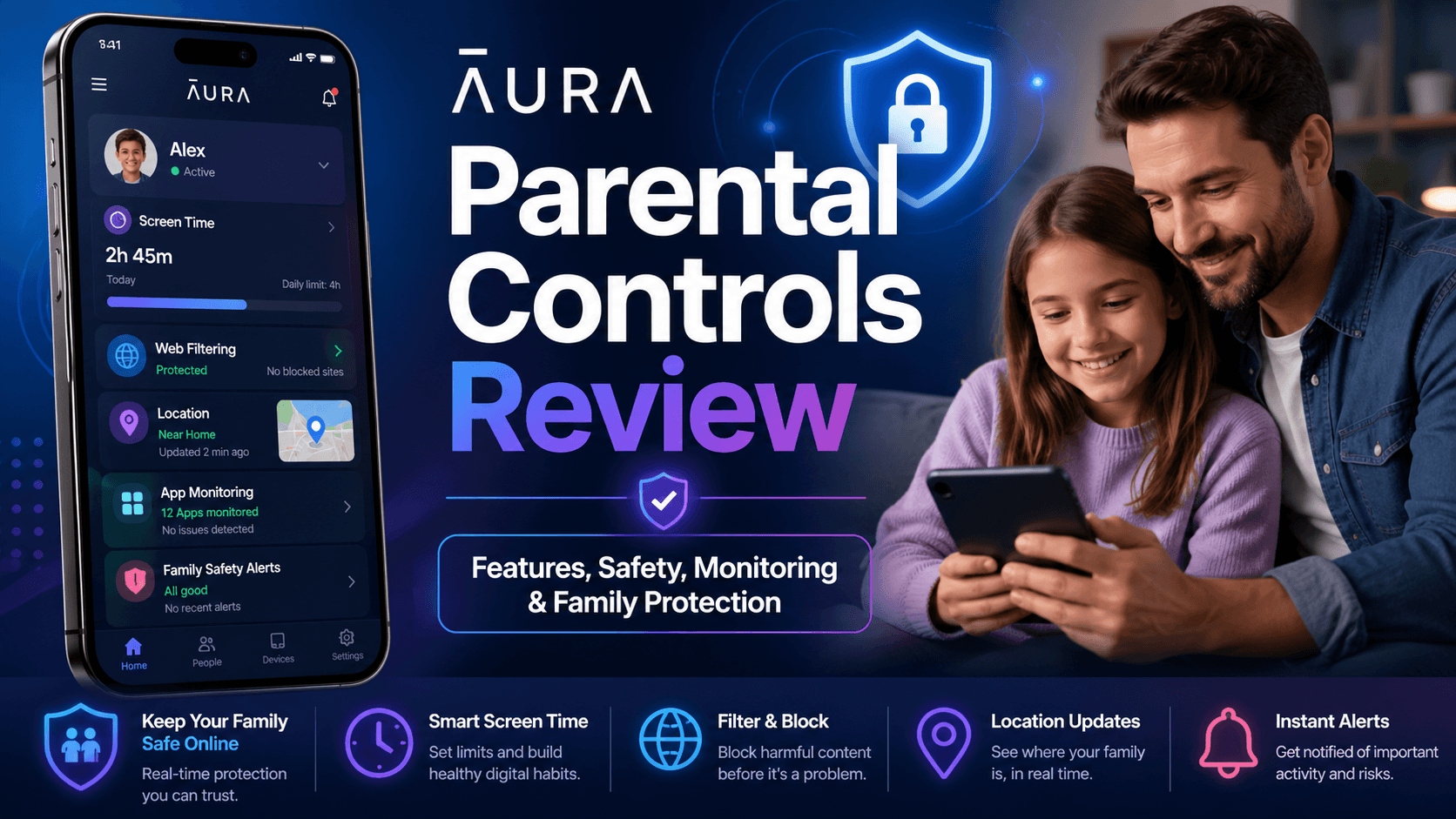
Aura’s parental controls focus on giving parents non‑invasive oversight and simple tools to limit screen time and content, rather than reading every direct message or social media comment. Typical features include:
1. Web and Content Filtering
Aura lets you filter websites by category and block specific domains you do not want kids to visit. Common categories include:
- Adult / pornography
- Gambling
- Violence / weapons
- Drugs and alcohol
- Social media (if you want to block or limit it)
You can:
- Turn on default age‑based filters for younger kids
- Add a custom block list and allow list for specific websites
- Get alerts or reports when a child attempts to access blocked content
This is ideal if your main concern is blocking obvious inappropriate sites rather than scanning every piece of content they see.
2. Screen Time Limits and Schedules
Aura includes screen time management, so you can:
- Set daily time limits for device or app usage
- Create schedules (for example: blocked during homework hours and after bedtime)
- Pause the internet or lock down certain apps when needed
These controls are helpful for families who struggle with endless scrolling, late‑night gaming, or “just one more YouTube video” battles.
3. App Blocking and Restrictions
On supported platforms, Aura lets you:
- Block individual apps (e.g., TikTok, certain games)
- Restrict access to app categories by age
- See which apps your child uses the most
This is more about shaping habits than surveillance: you are not reading chats inside the apps, but you decide which apps are available and when.
4. Safe Gaming and Online Activity Insights
Aura positions its parental controls as “non‑invasive insights” rather than spyware. For example:
- You may see which games and platforms your kids are using
- You can set limits around gaming time
- You get alerts if certain rules are broken or risky behavior is detected at a high level
But you do not see every message, clip, or chat log. That trade‑off is intentional, to respect kids’ privacy while keeping parents in the loop.
Beyond Parental Controls: Aura’s Family Security Features
One reason Aura’s parental controls are often recommended is that they come bundled with robust family security tools. When you pay for Aura’s family plan, you usually get:
1. Identity Theft Protection
Aura monitors key pieces of personal data for every family member you choose to enroll, such as:
- Social Security numbers
- Bank accounts and credit cards
- Email addresses and phone numbers
- Home addresses and other identifiers
If that information appears in known data breaches, dark web marketplaces, or suspicious transactions, Aura sends alerts and offers guidance on what to do next. Some plans even include identity restoration help and insurance.
2. Device Security: Antivirus and VPN
Aura often bundles:
- Antivirus/anti‑malware for PCs and mobile devices
- A VPN for safer browsing on public Wi‑Fi and more privacy online
That means your family’s phones, tablets, and computers get a baseline level of protection against malware, phishing, and snooping — not just content filtering for kids.
3. Financial and Privacy Protections
Depending on your plan:
- Credit monitoring and score tracking
- Alerts about risky transactions or new accounts opened in your name
- Tools to reduce spam calls and junk mail
For parents who worry as much about scams and fraud as about kids’ screen time, this bundle can be very attractive.
Setup and Ease of Use
Getting Started
Setting up Aura parental controls usually involves three steps:
- Create an Aura account and choose a family plan.
- Install the Aura app on your own phone and on your children’s devices.
- Create kid profiles and set rules for each child (age, allowed content level, time limits, etc.).
You manage everything from a central parent dashboard, either in the app or via a web portal. From there you can:
- See which devices are protected
- Adjust filters and schedules
- Review alerts and basic usage insights
How User‑Friendly Is It?
Most reviewers describe Aura’s interface as clean and straightforward, but note that:
- There is more to configure than in a single‑purpose parental control app, because you also have identity and device protections to set up.
- If you only care about kids’ phones, some security settings might feel like “extra clutter”.
On the other hand, once it is configured, parents appreciate having one place to manage both family safety and kids’ screen rules, instead of juggling multiple apps.
What Aura Parental Controls Don’t Do
No honest Aura parental controls review would be complete without talking about the limits.
Aura is not designed for:
- Reading private messages (texts, DMs, social media chats)
- Monitoring every social media post, comment, or like in detail
- Capturing keystrokes or taking secret screenshots
- Running in “stealth mode” without your child knowing
If your priority is to deeply monitor your teen’s conversations for bullying, sexual content, grooming, or self‑harm, tools like Bark or similar monitoring‑focused apps will generally be much more powerful.
Aura is best for parents who want filters, limits, and alerts, not full‑blown surveillance.
Aura Parental Controls: Pros and Cons
Pros
- All‑in‑one protection
You get parental controls plus identity theft protection, antivirus, VPN, and privacy tools under one subscription. That can simplify your digital life and even save money compared to buying each service separately. - Non‑invasive oversight
Aura gives you control over what sites and apps kids can use and when, without reading every message they send. Many parents like this balance between safety and trust. - Device and family coverage
Supports multiple devices and family members, so you can protect kids and adults from online threats using the same platform. - Good for younger kids and pre‑teens
For children who are not yet deeply embedded in social media, filters and time limits are often enough, making Aura a comfortable choice.
Cons
- Less powerful social media monitoring
Aura does not deeply scan kids’ messages and social feeds the way specialized monitoring tools do. Parents concerned about cyberbullying or grooming may find this limiting. - Overkill if you only want parental controls
If you are not interested in identity protection, VPN, or antivirus, you might find Aura more expensive than single‑purpose parental control apps. - More complex setup
Setting up identity theft monitoring and device security for the whole family adds steps that pure parental control apps do not have. - Some features depend on platform and region
As with many digital safety tools, not every feature works identically on Android vs iOS, or in every country, so results can vary slightly.
Pricing: Is Aura Worth the Cost?
Aura is not the cheapest parental control option, but its pricing makes more sense when you look at what is included.
Aura’s current plans are:
- Kids plan: $10/month when billed annually, or $13/month when billed monthly. This plan focuses on parental controls, online wellbeing tools, screen time limits, content filtering, site blocking, and safe gaming protection.
- Individual plan: $12/month when billed annually, or $15/month when billed monthly. It covers 1 adult and up to 10 devices, including identity theft protection, credit monitoring, VPN, antivirus, password manager, financial alerts, and $1 million in identity theft insurance.
- Couple plan: $22/month when billed annually, or $29/month when billed monthly. It covers 2 adults and 20 devices, with $2 million in identity theft insurance.
- Family plan: $32/month when billed annually, or $50/month when billed monthly. It covers up to 5 adults, unlimited children, and unlimited devices. This is the most relevant option for families because it includes child identity protection, parental controls, online wellbeing features, safe gaming alerts, VPN, antivirus, password manager, credit monitoring, and up to $5 million in identity theft insurance.
Compared with basic parental control apps, Aura is clearly more expensive. For example, if you only need screen time limits, app blocking, or web filtering, the Kids plan—or even a cheaper standalone parental control app—may be enough.
When you compare it to standalone parental control apps, Aura can look more expensive. But if you consider that you are also getting:
- Identity theft protection for multiple family members
- Credit and financial monitoring
- VPN and antivirus across devices
the value proposition becomes stronger — especially for families who would otherwise subscribe to several separate services.
In short:
- If you only want a basic app to limit a child’s screen time, cheaper options exist.
- If you want comprehensive family security + parental controls, Aura’s price is easier to justify.
Aura vs Dedicated Parental Control Apps
To put Aura in context, it helps to compare it conceptually to a “pure” parental control tool like Bark or Qustodio:
- Aura
- Strengths: whole‑family security, identity protection, device safety, reasonable parental controls.
- Weaknesses: weaker social media and message‑level monitoring; some features may feel like overkill if you only care about kids.
- Dedicated parental control apps
- Strengths: very strong focus on child activity — detailed usage reports, deep content monitoring, often more granular controls.
- Weaknesses: no identity theft protection, no credit monitoring, limited device security; you might need additional subscriptions for those areas.
Many tech‑savvy families choose a hybrid approach:
- Use Aura (or a similar suite) as the backbone for identity and device protection for everyone.
- Pair it with a specialized parental control or monitoring app on kids’ devices if they need deeper oversight.
Whether that is necessary for you depends on your budget and your level of concern.
Who Is Aura Parental Controls Best For?
Based on how Aura is built, its parental controls are best suited for:
- Families with younger kids or pre‑teens
who mostly need web filtering, app control, and time limits — not deep message monitoring. - Parents who worry about scams and identity theft as much as about screen time
and want to address both problems under one roof. - Households with many devices
where managing antivirus, VPN, and parental controls separately would be a headache. - Non‑technical parents
who prefer a single app and support team to help them secure their digital lives, rather than piecing together several different services.
On the other hand, Aura may not be the best fit if:
- Your main concern is reading or analyzing your teen’s messages and social media activity in detail.
- You already have strong identity protection and device security and only need a lightweight parental control tool.
Final Verdict: Is Aura a Good Choice for Parental Controls in 2026?
Aura is not the most aggressive parental control app on the market — and that is by design. Its mission is broader: protect the whole family’s identity, devices, and online experience, with parental controls as one important layer in that stack.
If you want a balanced, non‑invasive way to manage what your kids can access, while also shielding your family from scams and data breaches, Aura is a strong contender. If you want maximum visibility into every message and post, you will likely need to pair Aura with a more specialized monitoring app.
Either way, understanding that Aura is first and foremost a family digital safety suite — and only second a parental control app — will help you decide whether it matches your needs and your parenting style.