Choosing the right parental control app can be confusing, especially when you are comparing two big names like Bark vs Aura. Both promise to keep your kids safer online, but they focus on different things and work in very different ways.
This guide explains how Bark and Aura actually work, what they do best, how much they cost, and which one is more likely to fit your family’s needs in 2026.
Quick Summary: Bark vs Aura
If you only read one section, make it this one.
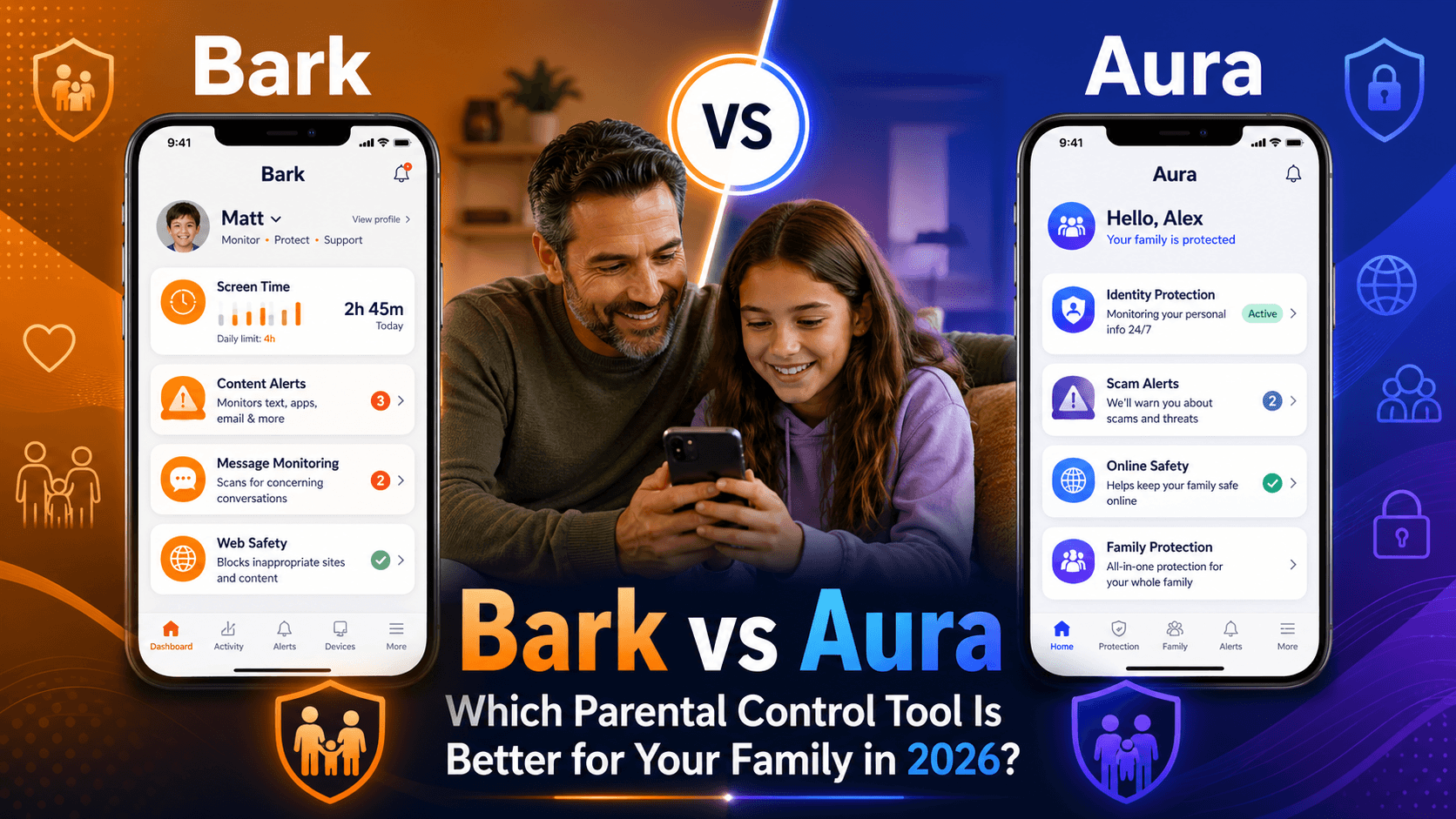
- Pick Bark if your #1 priority is deep monitoring of your child’s online activity: social media, texts, emails, and content they see or send.
- Pick Aura if you want an all‑in‑one family protection suite that combines identity protection, VPN, antivirus, and lighter‑touch parental controls under one subscription.
Many families end up choosing Bark for online activity monitoring and Aura for whole‑family digital security.
What Is Bark?
Bark is a parental control and online safety app focused on monitoring kids’ digital activity and alerting parents to potential risks.
Instead of sending you every message your child sees or sends, Bark scans content in the background and looks for warning signs such as:
- Bullying and harassment
- Sexual content or grooming
- Self‑harm or suicidal thoughts
- Violence, hate speech, or drug references
When Bark detects something concerning, it sends parents an alert with context, so you can decide how to respond.
Key Bark Features
- Social media monitoring
Bark can monitor many popular platforms (availability depends on device and permissions) and flag problematic content or interactions. - Text and email monitoring
On supported devices, Bark analyzes SMS, certain messaging apps, and email for risky language or patterns. - Web filtering and screen time
You can block inappropriate websites, set category filters, and create schedules for when the internet is allowed or paused. - Location check‑ins
Some plans include basic location features so you can see where your child’s device is.
Bark is primarily a monitoring and alert system, designed for parents who want insight into what their kids are actually doing and seeing online.
What Is Aura?
Aura started as a digital security and identity‑theft protection service and later added parental controls to its product line. Today, it aims to be a family digital safety platform, bundling several tools into one subscription.
With Aura, you are not just watching your kids’ devices. You are also protecting the whole family from scams, data leaks, malware, and financial fraud.
Key Aura Features
Depending on the plan, Aura typically includes:
- Parental controls
- Screen time limits and schedules
- Website and app blocking by category or specific site
- Basic activity summaries for kids’ devices
- Identity theft protection
- Monitoring of personal information (Social Security numbers, email addresses, bank accounts, and more)
- Alerts if your data shows up in breaches, dark web marketplaces, or suspicious transactions
- Device & Wi‑Fi protection
- Antivirus/anti‑malware for computers and phones (on supported platforms)
- VPN for safer browsing on public Wi‑Fi
- Tools to help reduce spam calls and junk mail
Aura’s parental controls are just one part of a larger security package, so it tends to appeal more to parents who want a “one‑stop shop” for family safety.
Bark vs Aura: Feature Comparison
Here is a high‑level look at Bark vs Aura so you can see where each shines.
Core Features Table
| Feature | Bark | Aura |
|---|---|---|
| Social media monitoring | Strong, core focus | Limited / not the main focus |
| Text & email monitoring | Yes (on supported devices) | Generally no deep content scanning |
| Risk alerts (bullying, etc.) | Yes, AI‑based alerts to parents | Limited for kids; more focused on identity alerts |
| Web filtering | Yes, by category and custom sites | Yes, via parental control tools |
| Screen time management | Yes, with custom schedules | Yes, with time limits and rules |
| Location features | Basic check‑ins / location tools | May include some device location, plan‑dependent |
| Identity theft protection | No | Yes, core focus |
| Credit / bank monitoring | No | Yes, on higher‑tier plans |
| Antivirus / VPN | No | Yes, in family security bundles |
| Pricing model | Parental control only | Security suite + parental controls |
How Bark Works in Real Life
Bark runs in the background on your child’s device and, where allowed, connects to their social media, messaging, and email accounts. It then uses AI and keyword detection to analyze:
- The text in messages and posts
- Images and sometimes videos (on supported platforms)
- Links and context in conversations
Instead of giving you full, raw access to everything, Bark sends summarized alerts when it detects something risky. Parents then:
- Open the alert
- Review the snippet and recommended guidance
- Decide whether to talk to their child, adjust rules, or contact school/authorities in severe cases
Bark is ideal if you:
- Are worried about cyberbullying, grooming, self‑harm, or explicit content
- Have tweens/teens active on multiple platforms
- Want to respect some privacy while still getting notified about serious issues
How Aura Works in Real Life
Aura runs as a combination of mobile apps, desktop software, and online dashboards. Each family member can have a profile, and parents can:
- Set up screen time and web filtering rules on kids’ devices
- Turn on VPN and antivirus for safer browsing
- Add information (like ID numbers, credit cards, email addresses) to monitor for identity theft and fraud
- Get alerts if their data appears in known breaches or suspicious activity is spotted
Aura is ideal if you:
- Want to protect the entire family’s identities, devices, and Wi‑Fi networks
- Prefer one subscription instead of separate services for antivirus, VPN, and parental controls
- Have kids but also care deeply about your own privacy, credit score, and online footprint
Its parental controls are solid for screen time and basic content filtering, but they are not as specialized in reading messages or social media as Bark.
Bark vs Aura: Pricing Overview
Exact pricing changes over time and depends on promotions, but the structure usually looks like this:
- Bark
- Charges a flat monthly or annual fee for its parental control service.
- Often includes all kids’ devices under one family plan.
- Sometimes offers different tiers (e.g., monitoring only vs. monitoring + location + more controls).
- Aura
- Offers tiered plans (Individual, Couple, Family) with different levels of identity protection and device coverage.
- Parental controls are usually part of the Family plan.
- Pricing reflects the fact that you’re getting multiple tools (identity monitoring, VPN, antivirus, parental controls) in one.
If you only care about parental controls, Bark will usually be cheaper and more targeted. If you also want identity theft protection and device security, Aura can be cost‑effective compared to buying those tools separately.
Ease of Use: Bark vs Aura
Bark
- Setup can take some time, especially if you connect multiple social media and email accounts.
- Once it is running, alerts arrive by email or app notifications with plain‑language explanations.
- The interface is built specifically for parents, with clear categories like “Bullying,” “Predators,” “Self‑harm,” and more.
Aura
- Setup focuses on adding family members and turning on different protection layers (identity, devices, parental controls).
- The dashboard covers a lot more than just kids, so it can feel more complex at first.
- Parents who like having every security tool in one place generally appreciate the consolidated view.
If your main goal is “monitor my kids”, Bark will usually feel more straightforward. If you are thinking “secure my whole digital life”, Aura’s extra complexity makes sense.
Pros and Cons of Bark
Pros
- Deep monitoring of social media, texts, and emails on supported platforms
- Smart alerts help you focus on serious issues instead of reading everything
- Strong focus on kids’ mental health and online safety risks
- Includes web filtering and screen time tools
Cons
- Setup can be time‑consuming, especially for many accounts
- Not all platforms and message types can be monitored equally (technical and privacy limits)
- No identity theft protection, VPN, or antivirus
Pros and Cons of Aura
Pros
- All‑in‑one solution: identity protection, VPN, antivirus, and parental controls
- Good for protecting the whole family, not just kids’ devices
- Web filtering and screen time limits are easy to understand and manage
- Can reduce the need for multiple subscriptions and apps
Cons
- Parental controls are less specialized than Bark’s monitoring and alert system
- Focuses more on preventing scams and fraud than on reading kids’ conversations
- Price may feel high if you only want parental controls and not the full security suite
Bark vs Aura: Which Should You Choose?
Ask yourself what problem you are really trying to solve.
Choose Bark if:
- You are mainly worried about what your child sees and does online
- Your child uses a lot of social media, messaging apps, and online communities
- You want to be alerted to bullying, predators, self‑harm, or explicit content without reading every message
Choose Aura if:
- You want to protect your entire family from identity theft, financial fraud, malware, and unsafe Wi‑Fi
- You also want basic parental controls (screen time, web filtering) but do not need deep content monitoring
- You like the idea of one subscription covering security, privacy, and kids’ devices together
Some families even use both: Aura for device and identity protection, plus Bark for deeper monitoring of kids’ online activity. If budget allows and your concerns span both areas, this combined approach gives the most coverage.
FAQ: Bark vs Aura
Is Bark better than Aura for social media monitoring?
Yes. Bark is built specifically to monitor social media, texts, and emails for signs of danger, while Aura focuses more on device and identity security.
Does Aura have the same level of monitoring as Bark?
No. Aura offers web filtering and screen time controls but generally does not scan messages and social feeds as deeply as Bark.
Which is cheaper, Bark or Aura?
If you only want parental controls, Bark is usually cheaper. Aura can be more expensive, but it bundles identity theft protection, VPN, and antivirus, which might save money if you need those anyway.
Can I use Bark and Aura together?
Yes. They solve slightly different problems, so some parents install Bark for kid monitoring and Aura for broader family security.
Which is better for younger kids?
For younger kids who are not heavy social media users, Aura’s simpler parental controls might be enough. For older kids and teens active online, Bark’s deeper monitoring is often more valuable.